
Disabled Facebook advertising accounts being disabled is a common issue that can significantly impact businesses relying on social media ads. If you’re facing this problem, don’t worry! This guide will walk you through the process of restoring your disabled Facebook advertising account using a simple method that works for various account restrictions.
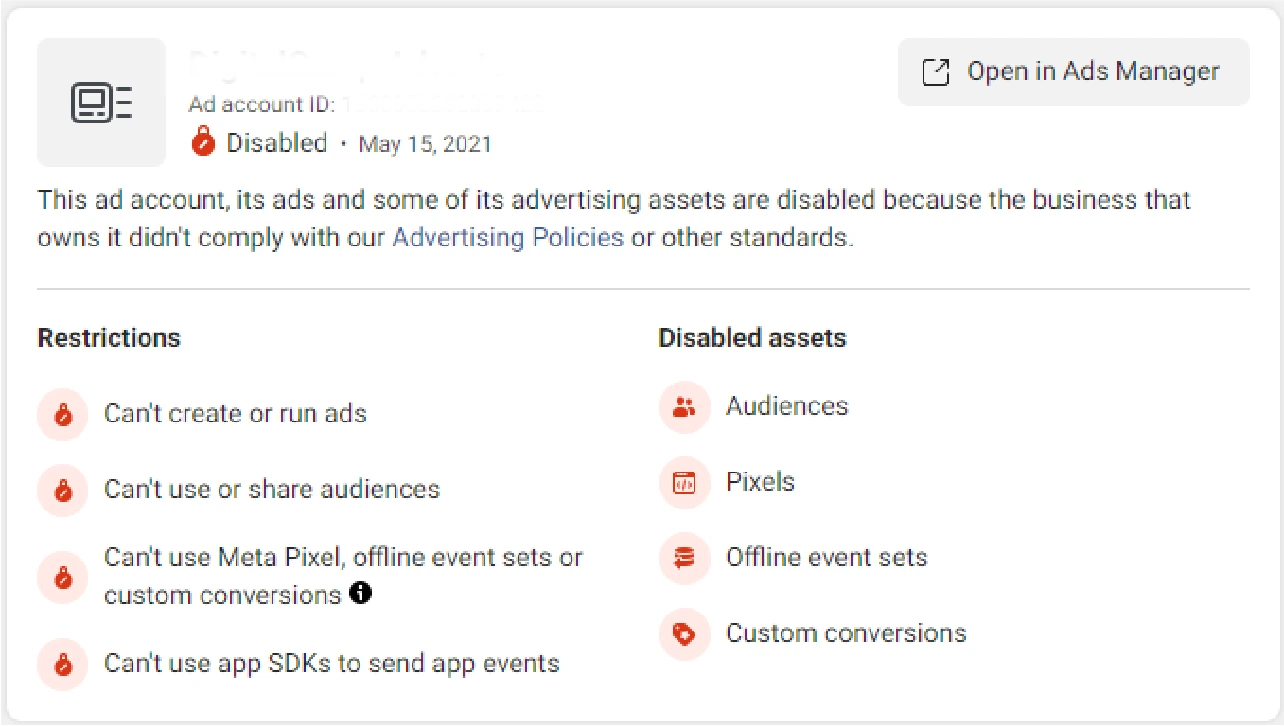
Step 1: Required Tools to restore disabled Facebook advertising account
Visit the Link and Download the Extension
To begin, click on the link provided. This will allow you to download the necessary Chrome extension. Download Here.
Step 2: Set Up the Chrome Extension
Enable Developer Mode in Chrome
- Open Chrome and navigate to the extensions section (find this in the browser’s settings).
- Enable Developer Mode.
Extract the Downloaded File
- Download the extension by click-here
- Right-click on the downloaded file and select Extract Here (you’ll need a tool like WinRAR for this).
- You will see two extracted files:
- One is the extension file.
- The other contains a text template prepared for your use.
Install the Extension
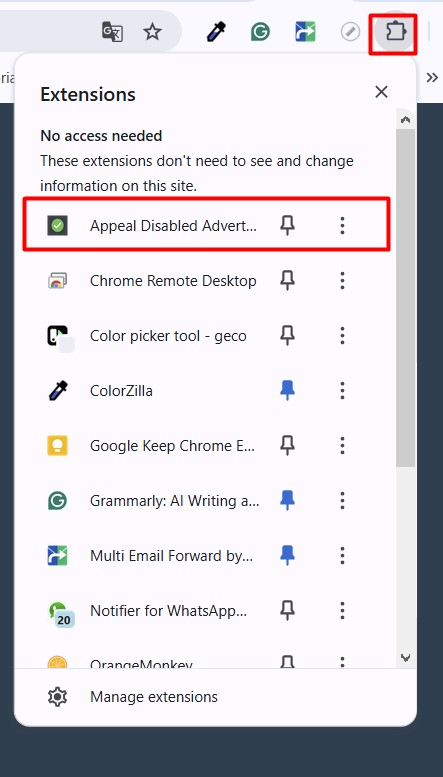
- Go to Chrome Settings -> Extension -> Manage Extension
- Drag and drop the extension file onto the extensions page in Chrome from the Winrar extracted folder.
- Pin the extension to your Chrome toolbar for easy access.
Step 3: Submit Your Request
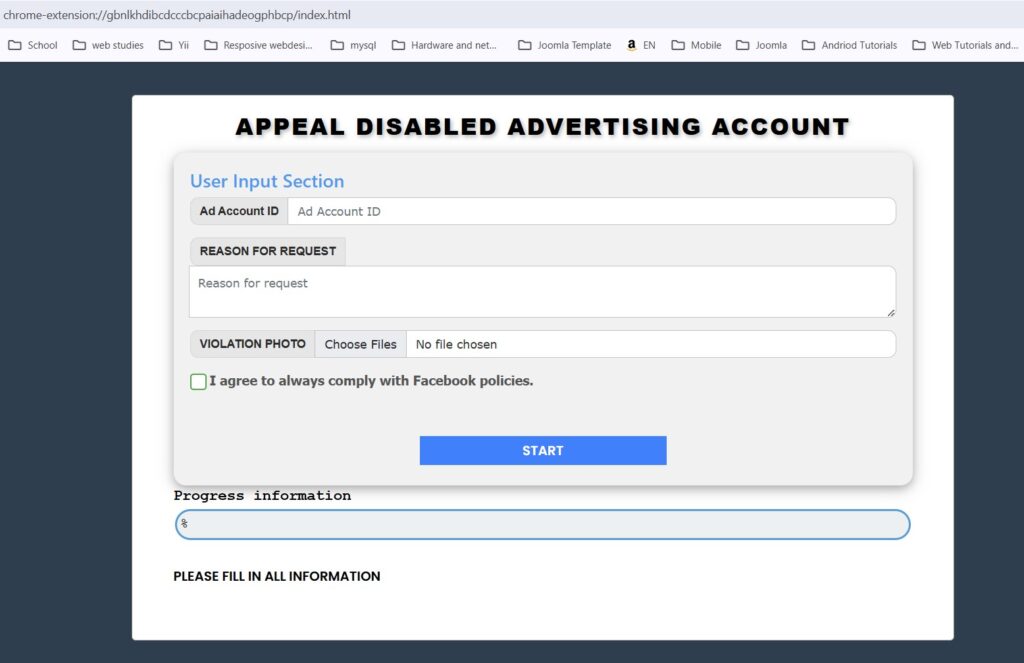
Enter Details to restore your Disabled Facebook Advertising Account
- Click the extension icon in your toolbar.
- Copy your Ad Account ID and paste it into the designated input field in the extension.
Fill Out the Request Form
Use the prepared text file to complete the reason for the request box. Copy the below text past in the reason field and replace the required information.
Dear Facebook Support Team,
I am the admin of the [Ad Account ID] ad account owned by the business [Bussiness ID]. Recently, my ad account was disabled, which greatly affected my business
I have managed this account for a long time. The recent violations were unfortunate and unintentional. After receiving the notification of the disabled notification, I reviewed the account and realized that this may be Facebook’s fault
I am writing this letter to request Facebook to review and restore my account so that my business can operate normally again
Thank you for your support!
Regards,
[Your Name]
Admin of [Ad Account ID]
Admin of [Bussiness ID]
Ad Account owned by the business [Bussiness ID]
Ensure you edit the information in the text as needed to match your specific case.
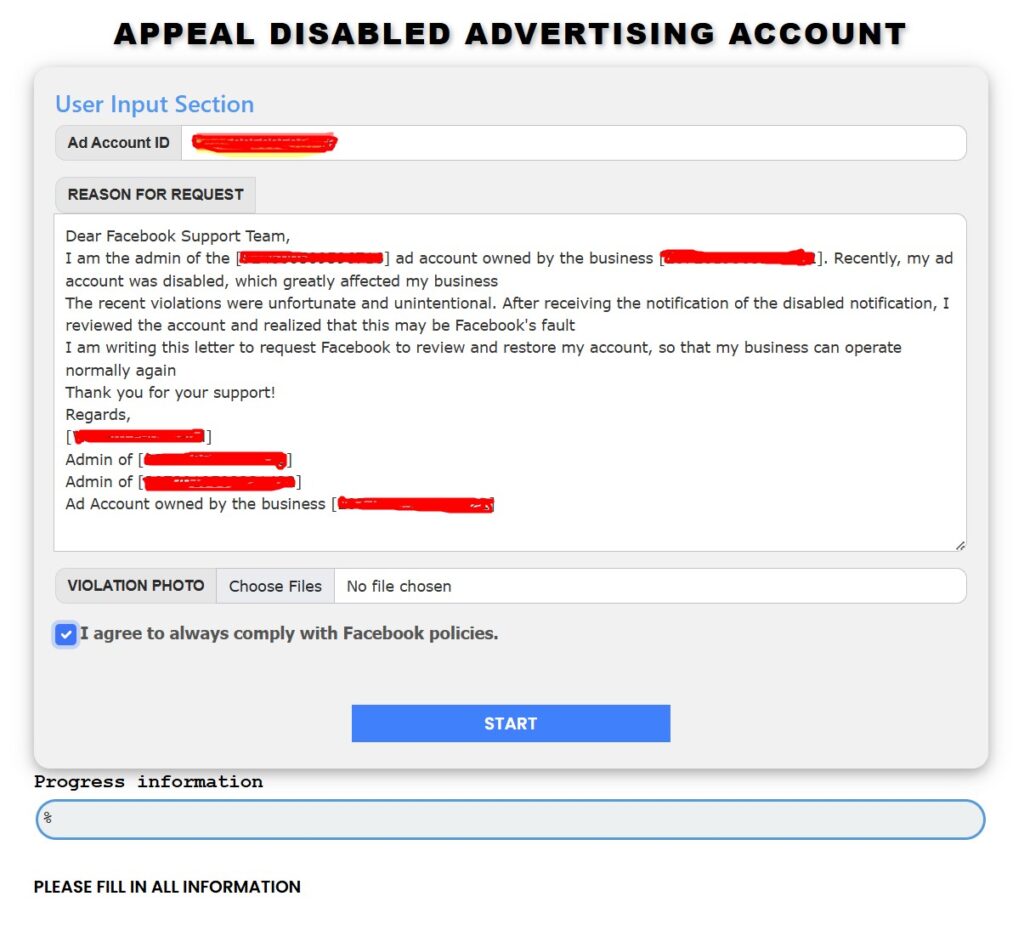

Add Supporting Evidence Disabled Facebook Advertising Account
- Include a screenshot of your violation notice.
- Follow the instructions in the guide to capture the correct section of your screen.
Step 4: Submit and Wait for the Disabled Facebook Advertising Account to restore
- Check all the required boxes in the form.
- Submit your request through the extension.
What to Do If the Request Fails
If the request fails, wait 1–2 hours and try again.
Step 5: Verify Your Account
- Return to your Facebook Ads Manager.
- Reload the page to check if your account is restored.
Restoration Timeline
In most cases, your account will return to normal within 48 hours.
Conclusion
Restoring a disabled Facebook advertising account may seem daunting, but with this method, you can get your account back in just a few simple steps. Follow this guide closely, and you’ll be ready to continue your advertising campaigns in no time!